Why Your Shopify App Isn't Getting Installs (And What's Actually Broken)
Your Shopify app has zero traction. The problem isn't the app. It's one of 5 diagnosable issues. Here's how to figure out which one you have, from someone who's done 100+ app audits.
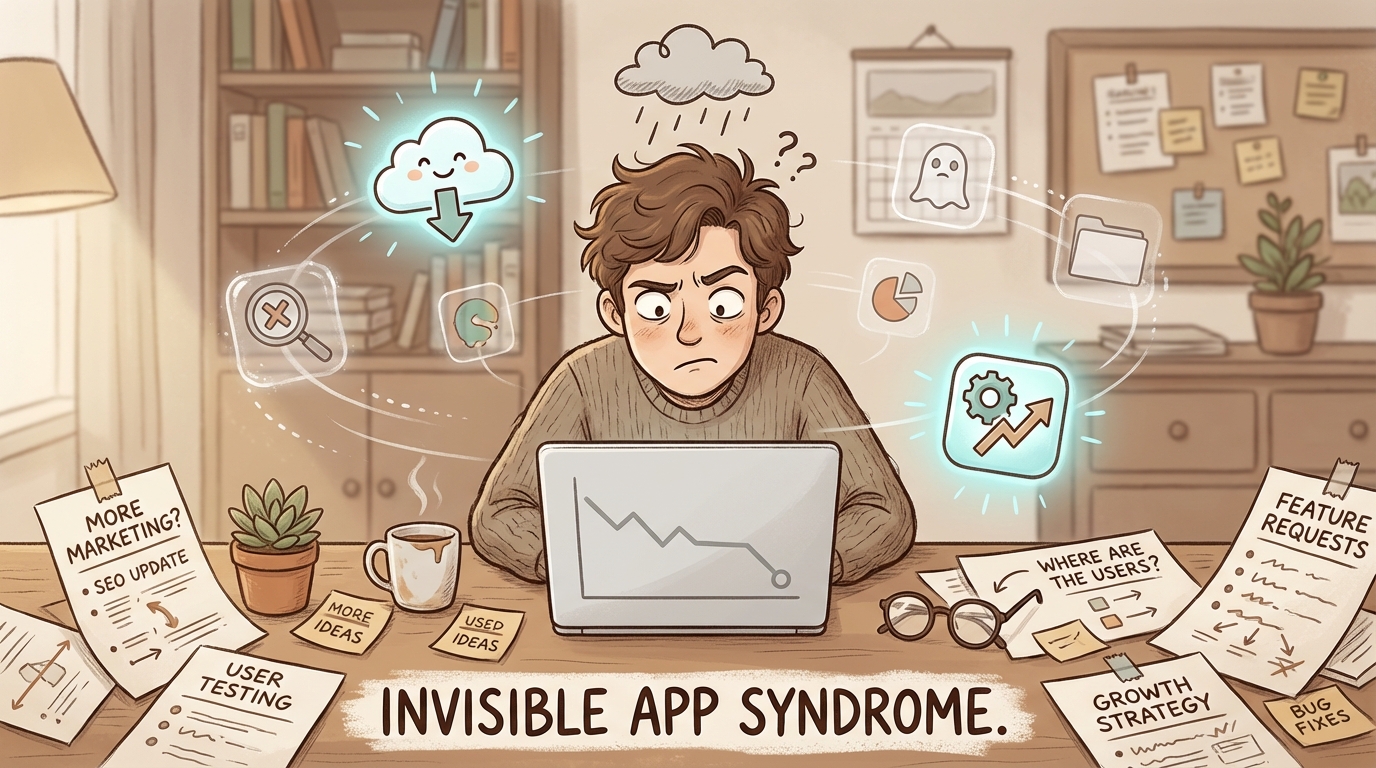
Two founders built a solid affiliate app. Clean interface. Good features. Zero organic installs.
I showed them why in 30 seconds.
I pulled up the Shopify App Store and searched “affiliate programs.”
“What do all these apps have in common?”
They looked at the screen. “They all say ‘affiliate’ in their names.”
“Yours doesn’t.”
Silence.
These founders had a functional app. Invisible. Because they skipped the basics. After the call, they updated their name. Added the right keywords. Fixed their description to include searchable terms. Two weeks later, their organic installs jumped.
Not because they built better features. Because merchants could finally find them.
The app wasn’t the problem. The way they talked about it was.
I’ve done 100+ audits like this. Same pattern almost every time: good product, bad listing, zero traction. I’ve seen founders spend 18 months building something brilliant only to sit at 12 installs because they can’t explain it in 8 seconds.
If your Shopify app isn’t getting installs, there’s a good chance you’re making a version of the same mistake.
But here’s what matters: not all install problems are the same. A visibility problem and a conversion problem require completely different fixes. Throwing tactics at the wrong problem is how you burn three more months.
I’m going to walk you through the 5 specific problems that cause low installs, and how to figure out which one you actually have.
The 5 Problems Framework: A Self-Diagnostic
Before you change anything on your listing, figure out which of these five problems is killing your installs. They require different fixes, and throwing the wrong solution at the wrong problem wastes months.
Here’s how you diagnose it:
Problem 1: Nobody sees your app (Visibility) Check your Shopify App Store analytics. If your listing views are low (under 200 per month), you have a visibility problem. Merchants aren’t finding you.
Problem 2: They see it but don’t click (Positioning) If your impressions are decent but your click-through rate is terrible, your app name, icon, and tagline aren’t giving merchants a reason to care.
Problem 3: They click but don’t install (Conversion) Listing views are fine, but installs are near zero? Your listing page is failing to close. Something about your description, screenshots, or reviews is scaring people off.
Problem 4: They install but immediately uninstall (Onboarding) If you’re getting installs but retention is a cliff (most users gone within 72 hours), your listing is making promises your onboarding can’t keep. This feels like an install problem, but it’s actually an activation problem.
Problem 5: Your category is wrong (Strategic Misalignment) If none of the above apply and things still aren’t working, you might be solving a problem that merchants don’t know they have. Or you’re in the wrong category entirely.
Most founders I talk to have a mix of two or three of these. But there’s usually one primary problem doing the most damage. Find that one first.
Problem 1: Nobody Sees Your App
Over 70% of Shopify app installs come from App Store search. Not from your blog. Not from your ads. Not from that Product Hunt launch you’re planning. From merchants typing words into the Shopify App Store search bar.
If merchants can’t find you there, almost nothing else matters.
And with over 12,000 apps listed, “not being found” is the default state. You don’t earn visibility by existing. You earn it by matching how merchants actually search.
Here’s where most developers get it wrong: they describe their app in developer language.
You built an “advanced attribution tracking solution.” Merchants are searching for “which ads are working.” You built a “customer segmentation platform.” Merchants are searching for “send emails to repeat buyers.”
The gap between how you describe your product and how merchants search for the solution is where installs go to die. I wrote about this exact gap here.
How to diagnose this:
- Open your Shopify Partners dashboard and look at your app’s search impressions
- If impressions are under 200/month, you have a keyword problem
- Search for 5-10 phrases your target merchant would type and see if you appear
- Check which categories you’re listed in. Are those the categories merchants actually browse?
There’s also a piece of real estate most app developers completely ignore, the subcard text beneath your app name. That small line of text is indexed by Shopify’s search and is one of the highest-impact SEO elements on your listing.
The fix is specific:
- List 20 phrases your ideal merchant would type to find a solution like yours. Not your feature names. Their problem descriptions.
- Check your app title structure. It should follow:
[Brand Name] keyword, keyword, keyword. - Review your categories. You should be in every relevant category, not just your primary one.
- Make sure your description naturally includes those merchant-language phrases.
I’ve changed just the order of two words in a client’s app name and watched them jump from page two to page one. On another audit call, the entire problem was that the app was targeting “chatbot” (one word) while every competitor ranked for “chat bot” (two words). One space. That was the difference between page 1 and page 2.
Problem 2: The Positioning Problem
Your listing talks to everyone. So it lands with nobody.
This is the most common problem I see. And it’s the hardest one for founders to accept because it means admitting that your messaging (the thing you spent weeks crafting) isn’t working.
Here’s how you know you have a positioning problem: merchants see your app in search results, but they don’t click. Your impressions are fine. Your click-through rate is garbage.
The reason is almost always the same: your listing is a feature list, not a value proposition.
I call this Feature-Listing Disease. It looks like this:
“Advanced reporting, customizable dashboards, multi-channel attribution, automated email flows, customer segmentation, A/B testing, and more!”
That’s not a pitch. That’s a spec sheet. And merchants scroll right past spec sheets because they can’t tell if any of those features solve their specific problem.
Most founders list features. The smart ones name the pain.
“Stop guessing which ads are driving sales” lands harder than “Multi-channel attribution analytics” because it describes a feeling the merchant has right now. They’re frustrated. They’re wasting ad budget. They need clarity.
The Drunk Grandmother Test is the simplest way to check if your positioning works: if your drunk grandmother can’t look at your listing at 4 a.m. and immediately understand what your app does and who it’s for, your positioning isn’t ready.
That sounds absurd. It’s the most useful test I know.
How to diagnose this:
- Read your listing out loud. Does it sound like a product description or a problem description?
- Show your listing to someone who isn’t a developer. Can they tell you what it does in one sentence?
- Count your features vs. your outcomes. If features outnumber outcomes, you have the disease.
- Check your first screenshot. Does it sell a benefit or show a UI?
The fix:
- Pick ONE problem your app solves better than anyone else.
- Make that problem the first thing merchants see, in your tagline, your first screenshot, your opening description line.
- Kill every feature that doesn’t directly support that one problem. You can mention them lower, but they don’t lead.
- Write your tagline as a problem statement, not a feature announcement.
This connects directly to why more features actually kill growth for most apps. The instinct is always to add. The discipline is to subtract.
Problem 3: The Conversion Problem
Merchants are finding your listing. They’re clicking through. And then they’re leaving without installing.
This is the most frustrating version of the installs problem because it means you’re doing some things right. You have visibility. You have decent positioning.
But something on your listing page is failing to close.
In my experience, it’s usually one of three things.
Your screenshots are explanations, not advertisements.
Most app screenshots look like product documentation. They show the interface with arrows and labels explaining what buttons do.
Merchants don’t care what buttons do. They care what outcomes you create.
The first two screenshots are everything. On mobile, merchants see your first screenshot before they even scroll. That single image has maybe two seconds to answer one question: “Is this for me?”
If your first screenshot shows a dashboard with six tabs and twelve metrics, the answer is “I don’t know.” And “I don’t know” means “no.”
Compare that to a screenshot that says: “See exactly which ad drove each sale, in one click.” Same feature. Different framing. One converts, the other doesn’t.
Your social proof has a gap you can’t hide.
If you have 3 reviews and your competitors have 300, no amount of listing copy fixes that. Merchants look at review count before they read a single word of your description.
Zero reviews is a trust problem. Under 10 reviews is a credibility gap. Under 50 means you’re still proving yourself.
This doesn’t mean you need to fake reviews or beg for them. It means you need a system. Ask happy merchants at the right moment (after their first win with your app, not after install). Respond to every review, positive or negative. Make the review process frictionless.
Your pricing creates confusion, not confidence.
If merchants can’t understand your pricing within five seconds, they leave. Period.
Pricing strategy is a bigger topic, but the install-specific version is this: if your pricing page on the App Store has more than three tiers, or if the difference between tiers isn’t immediately obvious, you’re losing installs to confusion.
How to diagnose this:
- Check your listing views vs. install rate. If you’re below 5% conversion, something on the page is broken.
- Look at your first two screenshots on a phone screen. Can you read the text? Does it sell an outcome?
- Count your reviews. If you’re under 20, that’s a factor, regardless of your rating.
- Have someone who’s never seen your app visit your listing. Time how long it takes them to say what your app does.
Problem 4: The Onboarding Problem
You’re getting installs. But merchants uninstall within a few days.
This one disguises itself as an installs problem. Your install numbers look weak because your net installs (installs minus uninstalls) are near zero. But the real problem isn’t getting merchants in the door. It’s what happens after.
The stat that should scare you: the average app loses 77% of daily activations within three days. Three days. That’s how much time you have to prove your value.
And most apps waste that window on a setup wizard.
I wrote about why most Shopify app onboarding sucks in detail, but the short version: your onboarding is a race to the first win. Not the feature tour. Not the settings page. Not the “complete your profile” screen. The first win.
A “first win” means the merchant sees your app doing something valuable for their store. If that takes twenty minutes of configuration, most merchants are gone before they get there.
The Setup Wizard Trap:
Developers love setup wizards. “Just answer these 12 questions and we’ll customize everything for you!”
Merchants hate setup wizards. Every screen between install and value is a screen where they can quit.
Smart apps ship with sane defaults. They work out of the box, even imperfectly. Then they let merchants customize over time. The goal is not perfection on first use. The goal is a result on first use.
How to diagnose this:
- Check your day-1 and day-3 retention rates. If you’re losing more than 50% in the first three days, this is your problem.
- Time how long it takes a new user to see their first valuable result. If it’s more than five minutes, it’s too long.
- Count the screens between install and first value. Every screen is a dropout point.
- Look at where users abandon. Is it the setup flow? The configuration? The “connect your data” step?
The fix:
- Ship with smart defaults. Don’t ask merchants to configure what you can infer from their store.
- Deliver one result immediately, even a small one. “We found 3 things to fix on your store” beats “Let’s set up your account.”
- Make the setup flow optional, not mandatory. Let them use the app first, configure later.
- Cut your setup flow in half. Then cut it in half again.
Problem 5: Strategic Misalignment
Sometimes the listing is fine. The screenshots are fine. The onboarding is fine. And merchants still don’t install.
When everything tactical checks out but installs are still dead, you’re dealing with something more fundamental: you’re either solving a problem merchants don’t know they have, or you’re in the wrong category entirely.
Building for a problem merchants don’t know they have.
If merchants need to be educated about why they need your app, you have a demand problem, not a marketing problem. And no amount of listing optimization fixes a demand problem.
The classic version: you built something that would genuinely help merchants, but they’re not searching for it because they don’t know the problem exists. You’re trying to create a category instead of competing in one.
That can work. But it requires a completely different marketing approach (content marketing, partnership distribution, thought leadership), not App Store search.
This is one of the main reasons Shopify apps fail in their first year. Not bad products. Not bad marketing. Wrong market timing.
Wrong category placement.
The Shopify App Store organizes apps into categories. If you’re listed in a category where merchants aren’t looking for your type of solution, you’re invisible even if your listing is perfect.
I’ve seen this in multiple audits. An app that’s essentially a retention tool listed under “Analytics.” Merchants browsing analytics want dashboards and reports, not retention workflows. The category mismatch makes you invisible to the exact merchants who need you, even if your listing is perfect within that wrong category.
The product-market fit question that actually matters:
Are merchants already paying for something that does what your app does? If yes, you have a positioning challenge (differentiate from competitors). If no, you either found a gap nobody else saw, or you’re building something nobody wants. And you need customer interviews, not listing optimization, to figure out which one it is.
How to diagnose this:
- Search for the problem your app solves. Are other apps ranking for those terms? If yes, the market exists. Your problem is one of the first four. If no, you might be creating a category.
- Check whether merchants are searching for any version of your solution. Zero search volume = zero demand (or wrong language).
- Talk to ten merchants in your target audience. Describe the problem you solve without mentioning your app. Do they recognize it? Do they care?
- Look at your competitors’ review counts. If they have thousands of installs, the market is validated. If nobody in your space has traction, the market might not be there yet.
The Order of Operations: What to Fix First
Every founder I work with wants to start with the fun stuff. Run ads. Build a landing page. Launch on Product Hunt.
All of that is wrong until you fix the fundamentals.
Here’s the order that actually works:
Fix your positioning first. If merchants can’t understand what your app does and why they should care, nothing else matters. No amount of traffic helps if your listing confuses people.
Then fix your listing. Once you know what you’re saying, make sure your listing says it clearly. Screenshots, copy, reviews, pricing display.
Then drive traffic. Only after the first two are solid do you spend money or time sending people to your listing.
Most founders work backwards. They start with ads because it feels proactive. Running ads with bad positioning? Congrats, you’re just paying to confuse people faster. Your ad spend becomes expensive user research showing you that nobody understands what you sell.
I learned this the hard way. When I joined ReConvert back in 2020, we had a working product and a quiet App Store listing. I assumed growth would come from building more stuff. Better upsell widgets. More templates. Fancier analytics. We shipped constantly. Installs barely moved.
What actually moved them: changing how we talked about the product. We stopped leading with what the app could do and started leading with what store owners cared about: revenue, average order value, the money they were leaving on the table every checkout. Same product. Different framing. That’s when things started compounding. Three years later, 40,000 merchants.
The compound effect of fixing positioning first is that everything downstream gets better. Your screenshots become clearer because you know what story to tell. Your reviews improve because merchants who install actually match your intended user. Your ads convert because they’re sending the right people to a listing that speaks to them.
Fix positioning. Then listing. Then traffic.
That’s the sequence. Every time.
The 30-Minute Self-Audit
You’ve read through the five problems. You probably recognized your app in at least one of them. Maybe two.
Here’s what I’d do right now:
-
Check your numbers. Open Shopify Partners. Look at impressions, listing views, install rate, and retention. The numbers tell you which problem you have.
-
Run the Drunk Grandmother Test. Show your listing to someone who isn’t a developer. Can they tell you what your app does and who it’s for within ten seconds?
-
Read your listing out loud. Does it sound like a person talking about a problem, or a spec sheet describing a product?
-
Count your setup screens. How many clicks between install and first value? If it’s more than three, you’re losing people.
-
Check your category. Are you listed where merchants actually look for your type of solution?
Thirty minutes. That’s all this takes. And it will tell you more about why your app isn’t getting installs than any generic “10 tips to grow your app” article.
If you recognized your app in those five patterns and want someone who’s done 100+ audits just like yours to look at your specific situation, I do free app audits. Takes fifteen minutes. I’ll tell you which of the five problems you have and what to fix first.
Or just send me a message on LinkedIn with your app URL. I’ll give you the honest version.
And if you want the bigger picture first, the way I work as a Shopify app growth consultant is all on one page.
FAQ
How do I promote my Shopify app?
Start with App Store search optimization, that’s where 70%+ of installs come from. Get your keywords right, make your listing clear, and earn reviews. After that, consider Shopify App Store ads (but only if your listing converts well, otherwise you’re paying for traffic that bounces). Content marketing and partnerships are the long game. But none of it works until your listing and positioning are solid. And if you want outside help with any of it, here is who actually specializes in Shopify app marketing.
How to get more app downloads in the Shopify app store?
The fastest fix is almost always your listing, not your traffic. Most apps I audit have a conversion problem, merchants visit the listing and leave. Fix your first screenshot (make it sell an outcome, not show a UI). Rewrite your tagline as a problem statement. Get your review count above 20. These three changes alone can double your install rate without adding a single new visitor.
Why is no one installing my app?
Use the diagnostic framework in this article. Check your numbers: low impressions = visibility problem. Low click-through = positioning problem. Low install rate = conversion problem. High uninstalls = onboarding problem. Once you know which problem you have, you can fix the right thing instead of guessing.
How to increase Shopify app installs?
Fix your positioning first. Then fix your listing. Then drive traffic. Most founders do it in reverse, they throw money at ads before their listing can convert. The order matters. A 2x improvement in listing conversion rate doubles the value of every visitor, every ad click, and every referral you’ll ever get.
Are Shopify app store ads worth it?
They can be, but only if your listing already converts organic traffic. If your install rate is below 5%, running ads is burning money. Fix your listing first, get your install rate above 8-10%, and then ads become a growth accelerator instead of an expensive experiment. Also, make sure you’re targeting the right keywords. Broad keywords attract tire-kickers. Specific, problem-oriented keywords attract merchants who are ready to install.
How long does it take to see results from App Store optimization changes?
Most listing changes (title, screenshots, description) take effect within 1-2 weeks in terms of search ranking shifts. But the real impact compounds over 2-3 months as better conversion rates feed better rankings, which feed more traffic, which feed more reviews. Positioning changes (the foundational stuff) can show results faster because they immediately improve conversion on existing traffic.
I share one diagnostic framework per week for Shopify app founders. If this was useful, subscribe to the newsletter — it’s the same voice, shorter format, delivered to your inbox.
Ohad Michaeli
Strategic positioning for Shopify apps
Want more insights like this?
Join Shopify app founders who get actionable positioning and optimization strategies.