How to Position Your Shopify App So Merchants Choose You (Not Your Competitor)
12,000+ apps in the Shopify App Store. Merchants decide in 3 seconds. Here's the positioning framework I use with every app I work with.
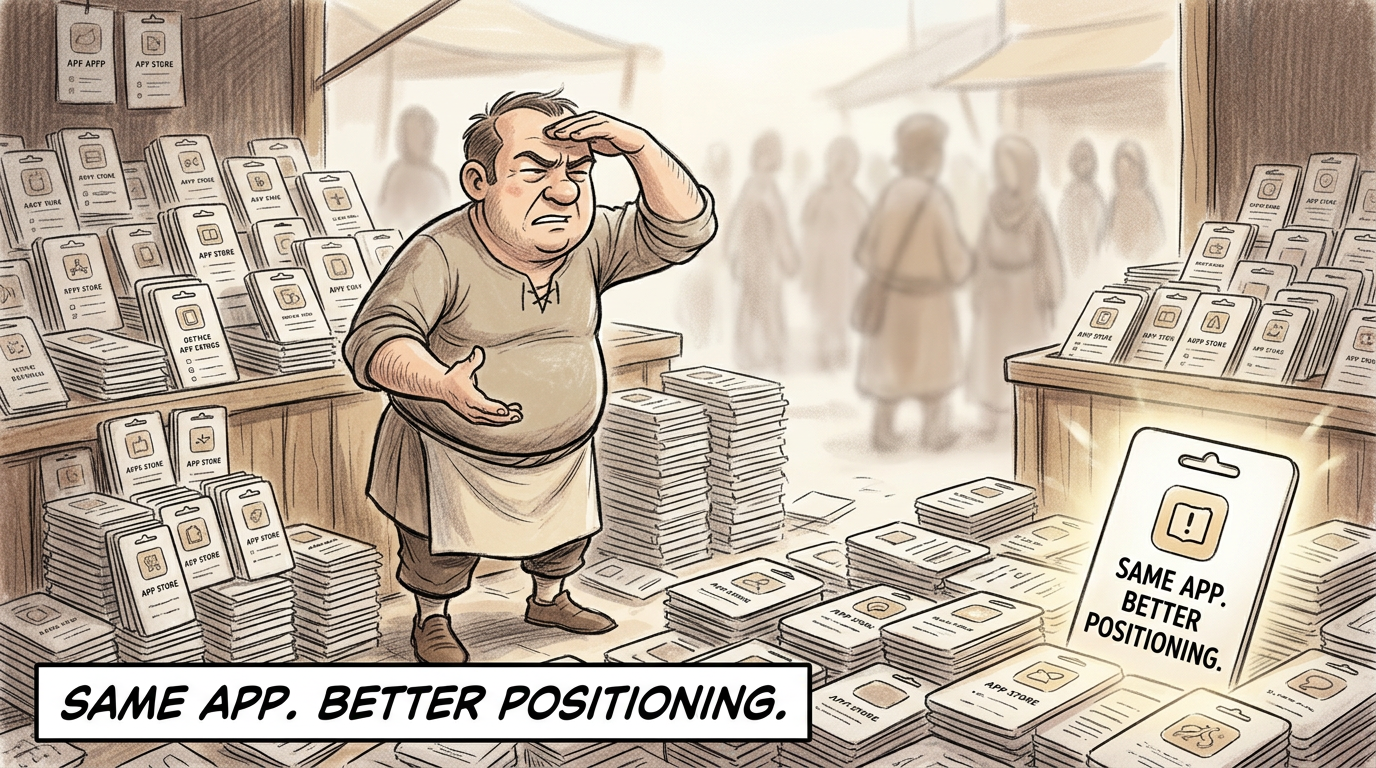
A few months ago, I was doing an audit for an app founder. Pre-order app. Working product. And here’s the part that should have made everything easy: no direct competition on Shopify.
Read that again. No direct competition. A product merchants actually needed.
And they were barely growing. Two big clients keeping the lights on. One paying $600-700 a month, the other $300-400. That was basically the business.
I pulled up their listing and within 30 seconds I could see the problem. The app talked to everyone. Small businesses, medium businesses, large businesses. It wasn’t clear which merchant they were actually for. Their pricing page said “great for small businesses” on one tier, “small to medium-sized stores” on the next, and “medium to large-sized stores” on the top tier.
What does that even mean?
They had no competition and still couldn’t grow. Because having a good product with bad positioning is like having a restaurant with great food and no sign on the door.
This is the guide I wish every Shopify app founder would read before spending another dollar on ads, another sprint on features, or another month wondering why their app isn’t getting installs. It’s the positioning framework I use in every audit and every engagement. Six steps. Practical. Tested across 100+ app audits.
The app isn’t the problem. The way you talk about it is.
Let’s get into it.
What Positioning Actually Means for Shopify Apps
Most founders think positioning is their tagline. Or their “About” section. Or that one-liner they put below their app name.
It’s not.
Positioning is the mental slot you occupy in a merchant’s head when they’re searching for a solution. It’s the reason they pick you over the other 12 options that showed up in the App Store search results.
And you have about 3 seconds to claim that slot.
Here’s what happens in those 3 seconds. A merchant types a problem into the Shopify App Store search bar. They scan the results. They see your app icon, your name, your short description. Maybe your rating. They either click or scroll past.
That’s the entire audition.
Now, positioning for Shopify apps is different from general SaaS positioning, and most advice out there ignores this. Four reasons:
The App Store constrains you. You’re not on your own website where you control the full experience. You’re inside Shopify’s search, Shopify’s categories, Shopify’s layout. You get a short description, a few screenshots, and a pricing table. That’s your entire real estate.
Merchants think in problems, not categories. They don’t search for “post-purchase upsell flow optimizer.” They search for “increase order value after checkout.” If your positioning uses your language instead of theirs, you’re invisible.
Competitive context is immediate. On a landing page, you control the narrative. In the App Store, you’re sitting right next to your competitors. The merchant is comparing you in real time, on the same screen, within the same scroll. Your positioning has to win in that comparison, not in isolation.
The search bar is the gatekeeper. If your positioning doesn’t align with how merchants actually search, you don’t exist. You could have the best positioning in the world, but if it doesn’t match the words merchants type into that search bar, you’ll never get the chance to show it.
This is why positioning isn’t one piece of your marketing. It’s the foundation that everything else builds on.
Think of it as a cascade. Positioning flows into your listing copy, your screenshots, your pricing, your content, your ads. Get it wrong, and every other investment underperforms. Get it right, and everything compounds.
The 5 Positioning Traps
I’ve done over 100 Shopify app audits. The same positioning mistakes show up in almost every one. Here are the five traps I see founders fall into repeatedly.
Trap 1: The Feature List
This is the most common one. Founders list every feature their app has, give them all equal weight, and hope the merchant figures out which ones matter.
They won’t.
Feature dumping without hierarchy kills conversion. When everything is equally important, nothing is. The merchant’s brain goes numb trying to figure out what you actually do well.
I was reviewing a competitor’s screenshots with a founder recently. I pulled them up and said, “When I see those images, my mind goes numb. There’s too much information.” And I do this for a living. If I can’t process it quickly, the merchant running a DTC skincare brand at midnight definitely can’t.
Compare that to Judge.me. Their App Store listing leads with: “Sell more with unlimited product reviews, UGC, star ratings, and testimonials.” They have dozens of features. But they lead with the outcome, not the feature list. A merchant reads that and immediately knows: this app helps me sell more through social proof. Done. Installed.
Most founders do the opposite. They lead with the features and hope the merchant connects the dots. The smart ones pick a hierarchy and put the outcome first.
Trap 2: The Technical Description
Developers build apps. Developers describe apps. And the description sounds like it was written for other developers.
“Post-purchase upsell flow optimizer” means nothing to a merchant who just wants to increase their average order value after checkout. “Granular segmentation capabilities” means nothing to a store owner who wants to send emails that feel like they wrote them personally. “Advanced targeting algorithms” means nothing to a founder who wants to know exactly which product to launch next.
Your features are not your positioning. Your features are the mechanism. The positioning is the problem you solve and the outcome you deliver, in words the merchant already uses when talking to other merchants.
Strip the jargon. If a busy store owner can’t understand what your app does in 10 seconds, your listing needs a rewrite. Not because merchants are unsophisticated. Because people making fast decisions need clarity, not complexity.
Trap 3: The Everything-for-Everyone
This was exactly the problem with that pre-order app I audited. Great product. But their listing spoke to everyone, which meant it resonated with nobody.
“Great for small businesses.” “Small to medium-sized stores.” “Medium to large-sized stores.” They had covered every possible merchant segment across their pricing tiers. That’s a red flag. It’s not clear which merchant they’re actually shooting for.
When you try to be for everyone, three things happen. Your copy gets generic because it has to speak to wildly different merchant types. Your screenshots try to show too many use cases and end up showing none well. Your pricing tries to serve every budget and confuses the merchants who’d actually pay the most.
And there was another layer here. If you work with enterprise clients, you can’t charge a percentage. They hate that. The pricing model itself was sending the wrong signal to the exact customers this app needed most.
Merchants don’t want the best app. They want the obvious choice for their specific situation.
Trap 4: The Competitor Clone
Pull up your listing. Now pull up your top 3 competitors. Read the descriptions side by side.
If you can swap the app names and the descriptions still make sense, you have a positioning problem.
This happens when founders study what’s working for competitors and replicate the approach. Same benefit statements. Same screenshot style. Same pricing structure. Same “trusted by X merchants” social proof. You’ve made yourself invisible by looking exactly like everyone else.
The irony: the more you study competitors to “learn best practices,” the more you sound like them. The solution isn’t to ignore them. It’s to find the gap they’re all missing. The problem they all acknowledge but none of them lead with. The merchant segment they’re all underserving.
Trap 5: The Invisible Advantage
I see this a lot with affiliate marketing apps. They have every capability a merchant could want: commission structures, influencer dashboards, campaign management. But nothing in the listing that makes a merchant stop scrolling.
Here’s the question most of them miss: what’s the ONE thing that makes merchants not trust affiliate marketing?
Attribution. Merchants don’t trust that affiliate programs will accurately track which influencers actually drive revenue. It’s the core anxiety of the entire category. Every merchant considering affiliate marketing has this fear sitting in the back of their mind.
An app could solve that problem better than anyone. But if that capability is buried deep in the feature list, sandwiched between commission structure options and dashboard customization, no merchant will ever find it.
The fix: put “Track exactly which influencers drive revenue” front and center. Lead with the anxiety, not the feature set.
Most apps have a genuine advantage. It’s just invisible because it’s listed alongside 30 other features with equal emphasis. Your biggest differentiator should be the first thing a merchant sees, not the last thing they find.
The Positioning Framework: 6 Steps
This is the framework I use in every positioning engagement. Six steps. Each one builds on the last. Don’t skip ahead.
Step 1: Identify Your Best Customers
Not all merchants are equal.
Open your customer list. Look at your top 20%. The ones who pay the most, stay the longest, use the product the deepest, and leave the best reviews. What do they have in common?
Industry? Store size? Revenue range? Specific use case? Geography? Tech stack?
These merchants didn’t just install your app. They got real value from it. They renewed. They upgraded. They told other merchants about you. That’s who your positioning should speak to. Not the broad market. Not “all Shopify merchants.” The specific merchants who already prove your app works.
Here’s the exercise. Write down three things your best customers have in common. Be ruthlessly specific. “E-commerce stores” is useless. “DTC fashion brands doing $50K-200K/month who sell custom apparel” is positioning you can build on. The more specific the description, the sharper your positioning gets.
Step 2: Name the Problem They Had BEFORE They Found You
Go read your reviews. Not the 5-star “Great app!” reviews. The ones where merchants describe their situation before finding you. The ones that start with “I was struggling with…” or “Before this app, I had to…”
(Wait, when’s the last time you actually read through all your reviews? Not just when rankings drop?)
Mine these reviews for the exact language merchants use to describe their pain. Not your language. Theirs. The words they type into the search bar. The frustrations they describe in support tickets. The problems they mention on community forums.
Here’s how you know you’ve found the right problem: you can describe it in one sentence, using words a merchant would actually say to another merchant over coffee.
Not “insufficient post-purchase monetization capabilities.” Instead: “You’re leaving money on the table every time a customer checks out.”
Not “suboptimal inventory management workflows.” Instead: “You’re manually tracking stock across 3 spreadsheets and still overselling.”
Run the Drunk Grandmother Test. If a 10-year-old can’t explain the problem your app solves, you haven’t simplified enough. Simplicity isn’t dumbing down. It’s strategic clarity.
Step 3: Define Your Unique Mechanism
Every app in your category solves roughly the same problem. Your unique mechanism is HOW you solve it differently.
And “AI-powered” is not a mechanism. Neither is “all-in-one.” Those are lazy descriptors that every competitor also claims. They sound like positioning. They function like noise.
Your mechanism should be specific and defensible. It’s the thing that makes your approach different from the 12 other apps that show up in the same search results. It’s the reason a merchant would pick you, specifically, over a competitor that also “increases revenue” or “saves time.”
Here’s an exercise. Take your top three features and reframe them as benefits a merchant actually feels:
- “Granular segmentation” becomes “Send emails that feel like you wrote them personally”
- “Advanced targeting” becomes “Know exactly which product to launch next”
- “Powerful data” becomes “Turn one-time buyers into repeat customers”
See the difference? The left side is what the feature does. The right side is what the merchant gets. The left side speaks to developers. The right side speaks to store owners.
Now pick the ONE reframe that’s most different from what your competitors say. That’s your mechanism. That’s the thing to lead with.
Step 4: Choose ONE Category to Own
This is where founders get nervous. Picking one category feels like leaving money on the table. Like you’re deliberately shrinking your market.
It’s the opposite.
A former client of mine, Depict, builds a visual drag-and-drop collection page editor for Shopify. They could have positioned as “collection page customization for all merchants.” Competing with dozens of apps in a broad category where nobody would notice them.
Instead, they leaned into visual merchandising for brands that care about storytelling. Look book-style collection grids, campaign imagery embedded right in the product grid, AI sorting rules. Not “customize your collections.” More like “use visual storytelling to increase conversion and shopper engagement.”
That specificity is the difference. Merchants who care about how their collections look and feel see the listing and think, “This is built for me.” Because it is.
You stop competing with bigger apps who have more reviews, more budget, and more brand recognition. You start being the only choice in a specific space. And being the only choice converts better than being a slightly-better option in a crowded field. Every time.
Step 5: Pressure-Test Against the Search Bar
Your positioning has to match how merchants actually search. This is where strategy meets reality.
Open the Shopify App Store. Type in the terms your ideal merchant would use. What comes up? Where would your app appear? What does the competitive landscape look like for those specific searches?
If your positioning uses words merchants don’t search for, it doesn’t matter how good it is. You’re invisible in the one place that matters.
Now try variations. What do merchants type when they’re aware of the problem but don’t know the solution category? What do they type when they’ve used a competitor and are looking for alternatives? What do they type when they’re describing a symptom, not a diagnosis?
Align your positioning language with real search behavior. This isn’t about keyword stuffing your listing. It’s about making sure the mental slot you’re claiming is one that merchants actually think about when they open the App Store.
The best positioning sits at the intersection of three things: what you’re genuinely best at, what your ideal merchants search for, and what your competitors aren’t claiming. Find that intersection and plant your flag there.
Step 6: Write the Positioning Statement
Now bring it all together. Fill in this template:
“For [specific merchant type] who struggle with [specific problem], [App Name] is the only Shopify app that [unique mechanism], so you can [specific outcome].”
This isn’t your tagline. You probably won’t put this sentence on your listing verbatim. It’s your internal compass. Every piece of copy, every screenshot, every pricing decision, every blog post, every ad should trace back to this statement. When you’re debating what to include in a screenshot or which feature to highlight, this statement is the tiebreaker.
Here’s how you know it’s working: every word in the statement is specific. “For Shopify merchants” is too broad. “For DTC supplement brands doing $100K+/month” is specific. “Who struggle with growth” is too vague. “Who struggle with repeat purchase rates under 15%” is specific.
If you can replace your app name with a competitor’s and the statement still works, it’s not specific enough. Go back to Step 3 and dig deeper.
Can you fill in every blank with confidence right now? If you’re hesitating on any of them, that’s your positioning gap. That’s where the work is.
Positioning in Practice: The Cascade
A positioning statement sitting in a Google Doc helps nobody. Positioning only matters when it cascades through everything a merchant sees.
Listing copy. Your short description, your long description, your “What’s new” updates. All of it should reinforce the same positioning. One message. One audience. One outcome. If your short description talks about one thing and your long description talks about something else, merchants feel the disconnect even if they can’t name it.
Screenshots. This is where most apps lose the sale. I’ve watched merchants evaluate apps. The mouse goes straight to the image carousel. Swipe. Swipe. Swipe. Decision made. If your first screenshot is a settings page or a generic dashboard, you’ve already lost them. Your screenshots should tell the positioning story visually, in order, without requiring a single word of body text. Each screenshot should answer: “Why should I care?” not “What does this look like?”
Pricing. Your tiers communicate who you’re for. Enterprise pricing on an app positioned for small stores creates confusion. A free tier on an app positioned for serious businesses sends the wrong signal. Pricing IS positioning. Every tier name, every feature gate, every dollar amount tells the merchant whether this app is for them or not.
Content. Blog posts, LinkedIn posts, newsletter. All of it should reinforce the category you chose to own in Step 4. Not random topics about general e-commerce advice. Content that specifically serves the merchant type you identified in Step 1 with the problem you named in Step 2. Consistency compounds.
Ads. And only then, ads. Fix positioning first. Then run ads. In that order. Always.
I lived this cascade at ReConvert. I spent three years there as Head of Growth and Partnerships, scaling from early startup to 40,000 merchants. The product was always good. But the growth didn’t come from shipping more features.
It came from changing how we talked about the product. We stopped leading with what the app could do and started leading with what store owners cared about. Revenue. Average order value. The money they were leaving on the table every checkout.
The product didn’t change. The positioning did. And everything else in the cascade followed.
When to Reposition
Here’s how you know your current positioning isn’t working:
- Great reviews but low installs. Merchants who find you love you. But not enough merchants find you. Your positioning isn’t aligned with how they search. The app is great. The discovery is broken.
- Listing views but no installs. Merchants land on your listing and leave. Your positioning isn’t compelling enough in the 3-second window. Something about your copy, screenshots, or pricing is creating friction or confusion.
- Installs but fast churn. Merchants install, poke around, and uninstall within days. You’re attracting the wrong merchants. Your positioning is promising something that doesn’t match the actual experience, or it’s attracting merchants who aren’t your ideal customer.
- Better features but losing. You look at competitors and genuinely have a better product. But they’re growing faster. They’re not winning on product. They’re winning on positioning and perception.
If any of those hit home, it’s time to consider a repositioning.
Swish (formerly Wishlist King) is a good example of what bold repositioning looks like. They spent 10 years as a wishlist feature. A good one. 7,000 stores using it. But “wishlist” is a feature, not a platform. And features eventually get commoditized or absorbed by bigger players who add them as a checkbox.
So they repositioned. Shifted from “wishlist as a feature” to a customer accounts and shopping tools platform. Rebranded entirely. New name. New category. New story.
It’s a risk. They acknowledged that awareness is probably their next big challenge, especially after being a purely organic inbound business for 10 years. Ten years of brand equity under one name, and they walked away from it. But staying a feature in a world that rewards platforms is a bigger risk. Features get absorbed. Platforms endure.
When is repositioning worth it? When the cost of staying where you are is higher than the cost of making the shift. When your current positioning puts a ceiling on your growth that no amount of marketing spend can break through. When you keep losing to apps that aren’t better, just better positioned.
Positioning takes months to clarify. It finds its structure through iteration, through testing, through listening to how merchants actually respond. The founders who move fastest aren’t the ones with the best roadmap. They’re the ones who’ve already seen the patterns.
Positioning Before Everything Else
I keep seeing app founders spend $1,500 a month on Shopify Ads while their listing still confuses merchants. That’s running billboard ads for a store with no sign on the door. Your ad spend becomes expensive user research showing you that nobody understands what you sell.
Fix positioning first. Then run ads.
Fix positioning first. Then build new features.
Positioning is step one, not step last. Every dollar you spend on marketing, every feature you ship, every piece of content you publish gets amplified or wasted depending on whether your positioning is clear.
And here’s what most founders miss: positioning compounds. A clear position today means every blog post you write reinforces it. Every review a merchant leaves echoes it. Every search query that matches it builds your authority in that category. Every satisfied merchant who recommends you uses the language you gave them.
Over 12 months, that compound effect is the difference between an app that’s still scrambling for installs and one that merchants recommend to each other unprompted. Between an app spending $1,500/month on ads just to tread water and an app where organic installs grow month over month because the positioning is doing the work.
The boring, unsexy work of getting your positioning right is the highest-return thing you can do for your Shopify app. It’s not the exciting thing. It’s not the thing that feels productive in the moment. It’s the thing that actually makes everything else work.
Quick Reference: The 6-Step Framework
- Identify your best customers. Top 20%. What do they have in common? Be specific.
- Name the problem. One sentence. Their words, not yours. Drunk Grandmother Test it.
- Define your unique mechanism. How you solve it differently. Feature-to-benefit reframe. Not “AI-powered.”
- Choose ONE category to own. Specific beats broad. Stop competing with dozens of apps.
- Pressure-test against the search bar. If merchants don’t search for it, your positioning is invisible.
- Write the positioning statement. “For [merchant type] who struggle with [problem], [App Name] is the only Shopify app that [mechanism], so you can [outcome].”
Can you fill in that positioning statement template right now, with confidence, without hedging?
If you can, you’re ahead of most apps in the Shopify App Store.
If you can’t, that’s not a failure. That’s a diagnosis. Now you know exactly where to focus.
I run 30-day positioning sprints with Shopify app founders. We go through this framework together, pressure-test everything against real merchant behavior, and come out with positioning that actually converts in the App Store. Positioning is where my Shopify app growth consulting engagements start, because everything downstream depends on it. If you recognized your app in any of the traps above, let’s talk.
And if you want more frameworks like this delivered to your inbox, I write about Shopify app growth every week. Positioning, pricing, listings, the unsexy stuff that actually moves installs.
FAQ
What’s the difference between positioning and messaging?
Positioning is the strategic decision: who you’re for, what problem you solve, and why you’re different. Messaging is how you express that decision in words. You can rewrite your messaging 50 times, but if the positioning underneath is wrong, the words won’t save you. Get positioning right first. The messaging becomes obvious.
How long does it take to see results from repositioning?
Listing conversion shifts within 2-4 weeks of implementing new positioning in copy and screenshots. Full compound effects (better ranking, more relevant reviews, improved retention) take 3-6 months. The first signs show up fast once you commit to one clear message and stop hedging.
Can I position against bigger competitors with more reviews?
Yes. You’ll never out-review an app with 5,000 reviews. But you can out-position them. Bigger apps position broadly because they serve a wide market. That’s your opening. The more specific your positioning, the more you stand out next to a generic competitor. A merchant with a specific problem will pick the app that speaks directly to it over the app that vaguely mentions it alongside 40 other capabilities.
Should I narrow my positioning even if it means smaller TAM?
Almost always yes. A smaller market you actually convert is worth more than a massive market that ignores you. Narrowing doesn’t mean turning away merchants. It means leading with one specific audience and one specific problem. Others will still find you. But your positioning gives you a beachhead where you’re the obvious choice. You can expand later. You can’t own anything if you’re trying to own everything.
Ohad Michaeli
Strategic positioning for Shopify apps
Want more insights like this?
Join Shopify app founders who get actionable positioning and optimization strategies.